


Real Guitar - Tabs and chords!
4.065.00 Reviews
App Specs
- Version
- 2.1.6
- Updated On
- License
- Free
- Downloads
- 5,000,000+
- Developer
- iGroove - Game Master
- Categories
- Music
- Platform
- Android
Screenshots
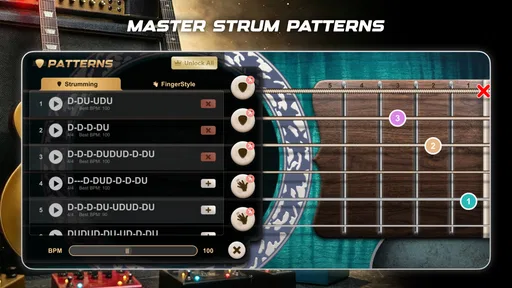
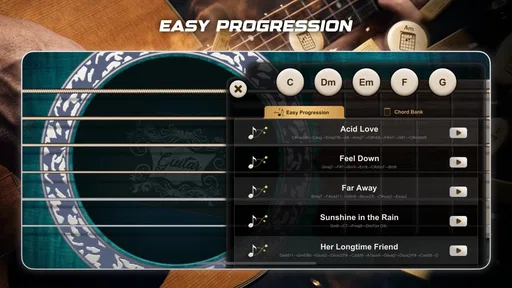
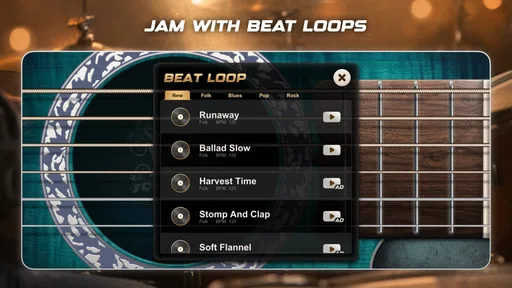
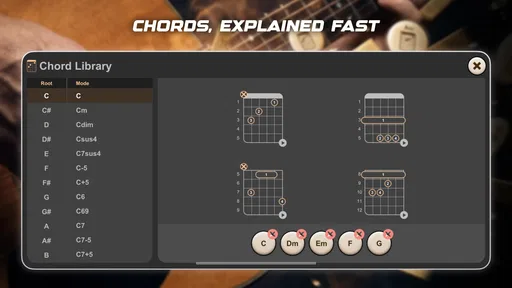
 Analysis by AppCompare
I think of Real Guitar - Tabs and Chords as a handy practice companion for moments when a real instrument isn’t within reach. It turns a phone into a small, playable guitar setup, so I can explore chord shapes, work on timing, or simply make noise for a few minutes without unpacking gear. That convenience is the main appeal: it offers a low-pressure way to engage with guitar, though it shouldn’t be mistaken for a replacement for learning on actual strings.
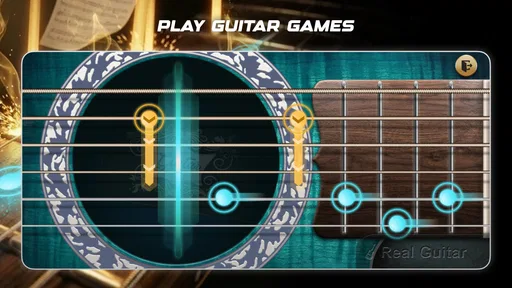
As a music game from iGroove - Game Master, it takes a more hands-on approach than a passive music app. The experience is built around tapping and strumming on a screen, which makes it approachable for curious beginners and casual players. I’d recommend it most to someone who wants a quick musical activity, or to a guitarist who wants a pocket-sized way to sketch ideas. If your goal is to build precise fretting technique, develop calluses, or rehearse with the feel of a physical guitar, a real instrument remains the better teacher.
A practical starting routine
My most useful way to approach a virtual guitar is to keep each session small and focused. I pick one simple goal—changing between a couple of chords, keeping a steady pulse, or trying a short melodic idea—rather than treating the screen as a full replacement for structured guitar practice. That makes the app easier to return to and helps me notice whether I’m improving at the specific task I chose.
A realistic use is a short break between errands or during a quiet moment at home. I can open the game, try a chord progression, and save a promising idea by recording it, then return to a real guitar later if I want to develop it. Recording is most useful as a memory aid: it lets me capture a rough musical thought before it disappears, rather than expecting a phone recording to become a polished demo. This distinction keeps the feature practical and the expectations sensible.
Settings that make a session easier
The app’s choice of acoustic, electric, and 12-string sounds gives me a reason to decide what I’m trying to hear before I start. I’ll pick one sound for a session and stick with it instead of switching constantly; that makes it easier to compare attempts and judge whether a chord change or rhythm feels clearer. The option to adjust the sound and string style can add variety, but I see it as a way to shape the mood, not as a substitute for learning how different guitars respond in real life.
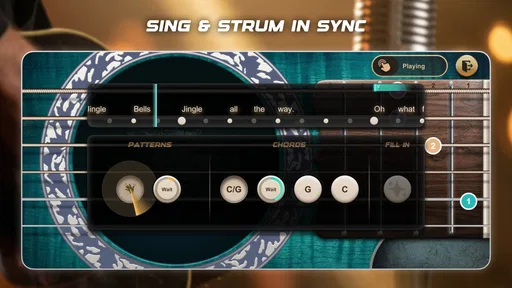
I also find it helpful to treat the metronome as a reference point rather than a test. When a pattern feels awkward, I focus on making the changes cleanly and steadily instead of trying to play quickly. The loop feature can support that kind of repetition: I can stay with a short passage long enough to hear where my timing slips. For a newcomer, this is a more useful habit than bouncing between many songs or styles before one basic movement feels comfortable.
Who will get the most from it
This is a good fit if you’re curious about guitar, want a casual music game, or need something musical to do when you’re away from your instrument. It can also suit a player who already understands chords and wants to jot down a quick progression or spend a few minutes experimenting. With a 4.0 average from around 9,000 ratings and more than 5 million installs, it has clearly found an audience, but those figures don’t tell me whether its touch-based playing will suit every person.
Worth Reading Before You Choose

Flipboard Shows What News Apps Must Do Beyond the Feed

Switching to Android Auto Means Rethinking Your Driving Routine

Google Calendar Makes a Crowded Week Easier to Manage

Ludo King Makes the Most of the Minutes Between Plans

Baby Panda World Brings Quick Play to Modern Phones, but Its Game Library Feels Busy

ESPN’s Live Game View Makes Following Close Games Easier
I’d be more cautious if you’re shopping for a full guitar-learning course, realistic performance practice, or a serious recording workspace. A physical guitar gives much better feedback about finger pressure, string noise, and the coordination between both hands. A dedicated tuner or structured lesson resource is also a more direct choice when the task is tuning an instrument or following a step-by-step curriculum. The virtual format is convenient precisely because it simplifies those demands, and that simplicity is also its limit.
Getting Started with Real Guitar
First things first, downloading Real Guitar - Tabs and Chords was a breeze. Available on both Android and iOS, I simply headed to my respective app store, hit the download button, and voilà! In a matter of minutes, I was ready to strum my way into musical bliss.
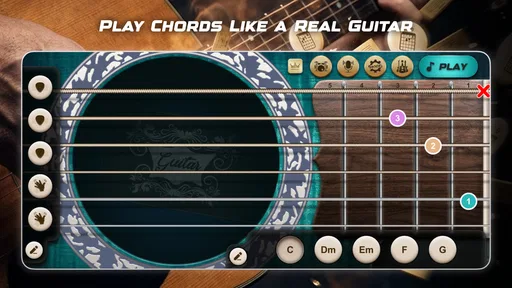
Upon opening the app, I was greeted by a clean and intuitive interface. No clutter, just straightforward navigation. I could instantly see options to switch between different guitar types like acoustic, electric, and even 12-string. Yes, you read that right! It’s like having a mini music store in your hands.
Exploring the Features
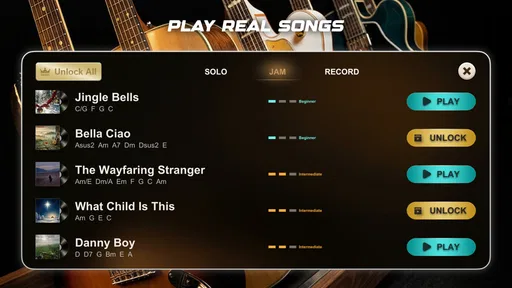
Now, let’s dive into the juicy bits. What makes this app stand out is its wide array of features. For starters, there’s an extensive library of tabs and chords that cater to beginners and seasoned players alike. I was pleasantly surprised by the variety – from classic rock anthems to modern pop hits. There’s something for everyone.
One of the coolest features is the interactive lessons. As someone who’s always wanted to learn guitar but never found the time, these lessons were a game-changer. They’re not just informative; they’re engaging. I found myself actually looking forward to practice sessions!
Jamming with the App
What’s playing the guitar without a little jam session? The app has a built-in metronome and a loop feature that lets you practice in perfect rhythm. I spent hours jamming with virtual bandmates, experimenting with different styles and beats. It’s an immersive experience that makes practicing feel less like a chore and more like fun.
"The app makes you feel like you've got a whole band in your pocket."
Customization and Personal Touch
Another aspect that deserves a shout-out is the customization options. Whether you’re into adjusting the guitar sound or changing the string style, Real Guitar lets you tweak your setup to match your mood. I found this particularly useful when switching gears from a soulful acoustic session to a high-energy electric jam.
And let’s not forget about recording. Yes, you can record your sessions! This feature is perfect for those moments of inspiration when you suddenly hit upon a melody that you just know is going to be a hit.
Final Thoughts
So, would I recommend Real Guitar - Tabs and Chords? Absolutely! It’s more than just an app; it’s a gateway into the world of music. Whether you’re a total beginner or someone looking to refine their skills, this app has something to offer. It’s user-friendly, packed with features, and most importantly, it makes learning fun.
So, grab your phone, download the app, and get ready to unleash your inner rock star. Who knows, with a bit of practice, you might just be the next guitar legend in the making!
Turning quick play into a repeatable habit
What I would change about an unstructured session is the temptation to keep switching sounds or jumping from one idea to another. A better pattern is to choose a single chord change, play it slowly against the metronome, and repeat it with the loop before trying a different sound. That simple order—choose, repeat, listen—makes the session feel intentional without adding setup work. It is particularly useful when I have only a few minutes and don’t want to spend them browsing instead of playing.
I also recommend recording only when there is a clear reason to do so: a rhythm I want to remember, a chord sequence I might develop, or a before-and-after check on a practice idea. A quick recording can reveal whether the timing is as steady as it felt while playing. It is not a substitute for a carefully produced track, but as a personal checkpoint it can make casual experimentation more useful.
Where the screen helps—and where it gets in the way
Touch input makes the game easy to pick up, but it changes the physical challenge. A phone or tablet does not reproduce the spacing, pressure, or tactile response of guitar strings, and the screen can feel cramped when I try to play with more than a simple gesture. I treat that as a trade-off rather than a flaw: the screen lowers the barrier to making music, while a real guitar is still necessary for practicing hand position, accurate fretting, and the small adjustments that produce a clean tone.
That difference matters when choosing between this and the usual alternatives. Compared with a lesson video, the game invites immediate interaction instead of asking me to watch first; compared with a real guitar, it is far easier to carry and start but offers less physical feedback. A chord reference can be quicker when I only need to look up a shape, while this app makes more sense when I want to hear and try ideas. I would choose based on the task, not expect one tool to do everything.
Price, access, and realistic expectations
The game is free to download, with in-app purchases listed at $2.99 per item. It has an Everyone content rating, and version 2.0.0 requires Android 6.0 or later. Those details make it easy to assess whether it suits a household device, though the presence of purchases is worth bearing in mind if someone else—especially a child—will be using it. I’d check the purchase controls on the device before handing it over, rather than assuming every part of the experience is cost-free.
For someone deciding whether it will run on an older Android phone, the minimum system requirement is the practical checkpoint. The game also has an iOS version, so it is not limited to Android users. I would start with the free experience and see whether the touch controls, sound choices, and practice tools fit my habits before spending anything. That is a sensible way to judge a casual music game, since the deciding factor is usually whether I enjoy returning to it, not how many options it appears to offer.
My take after weighing the trade-offs
Real Guitar works best when I treat it as an accessible musical sketchpad and a playful way to rehearse simple patterns. Its guitar sounds, tabs and chords, lessons, metronome, looping, customization, and recording give a curious player several ways to stay engaged. The strongest practical benefit is that I can start experimenting without owning or carrying an instrument; the clearest limit is that tapping a screen cannot teach the physical technique a guitar demands.
I’d point a beginner toward it as a friendly first taste of guitar, especially if the goal is to explore sounds and build a small practice habit. I’d also suggest it to an experienced player who wants a quick idea-catcher, not as a replacement for their main instrument. If you need realistic technique work, dependable rehearsal for a performance, or a detailed course with a clear progression, choose a real guitar and a more focused learning resource instead. For everyone else, this is a relaxed, low-commitment way to keep music within reach—and that is a worthwhile role for a phone game.
Released on April 14, 2020, it remains a straightforward option in the music-game space rather than a specialist guitar trainer. I like it most when I use its convenience deliberately: one sound, one small goal, a few repetitions, and a recording only if an idea is worth keeping. That routine makes the app useful without asking it to be something it isn’t. If that matches what you want from a pocket-sized guitar experience, I think it is worth trying.
Pros
- User-friendly interface for beginners.
- Wide selection of songs and tabs.
- High-quality sound effects.
- Customizable guitar types available.
- Offline mode for practice anywhere.
Cons
- Contains ads that can be intrusive.
- Limited free song selection.
- Requires in-app purchases for full access.
- Occasional app crashes reported.
- No option for advanced guitar techniques.
FAQs for Real Guitar - Tabs and chords!
What is Real Guitar - Tabs and Chords, and how does it work?
Real Guitar - Tabs and Chords is a mobile app designed for both budding musicians and seasoned guitar players. It provides a virtual guitar experience, allowing users to play and learn guitar chords and tabs directly from their device. The app features a realistic guitar sound, a variety of chord libraries, and an intuitive interface that mimics the real playing experience.
Is Real Guitar - Tabs and Chords suitable for beginners?
Yes, Real Guitar - Tabs and Chords is perfect for beginners. It includes a wide range of tutorials and guided lessons to help new players learn the basics of guitar playing. The app's user-friendly interface and step-by-step instructions make it easy for anyone to start playing, even without prior experience.
Can I use Real Guitar - Tabs and Chords offline?
Real Guitar - Tabs and Chords offers offline functionality, allowing users to access certain features without an internet connection. However, some advanced features, such as downloading new tabs or accessing online tutorials, may require an internet connection. This makes it convenient for practicing anywhere, anytime.
What devices are compatible with Real Guitar - Tabs and Chords?
The app is available for both Android and iOS platforms, making it accessible to a wide range of smartphones and tablets. Users should ensure their device meets the minimum operating system requirements to ensure smooth performance and access to all features offered by the app.
Are there any in-app purchases or ads in Real Guitar - Tabs and Chords?
Real Guitar - Tabs and Chords is a free app with optional in-app purchases. These purchases can unlock additional features, such as premium chord libraries, advanced tutorials, and an ad-free experience. While ads are present in the free version, they do not hinder the app's usability and can be removed with a purchase.


